
Organization and Activity Plans
Grupas and customer teams in one organization; activities day by day, hour by hour.
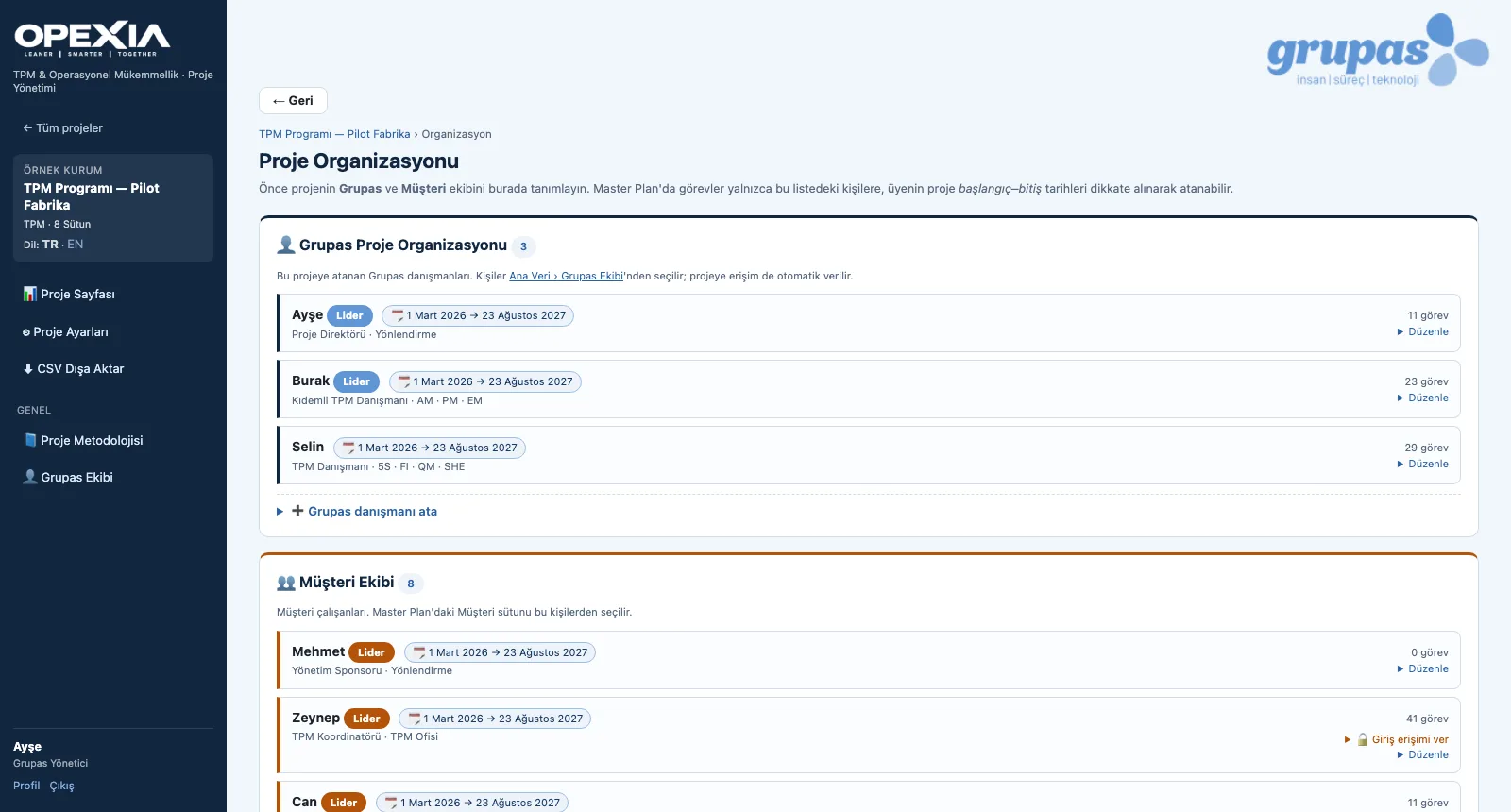
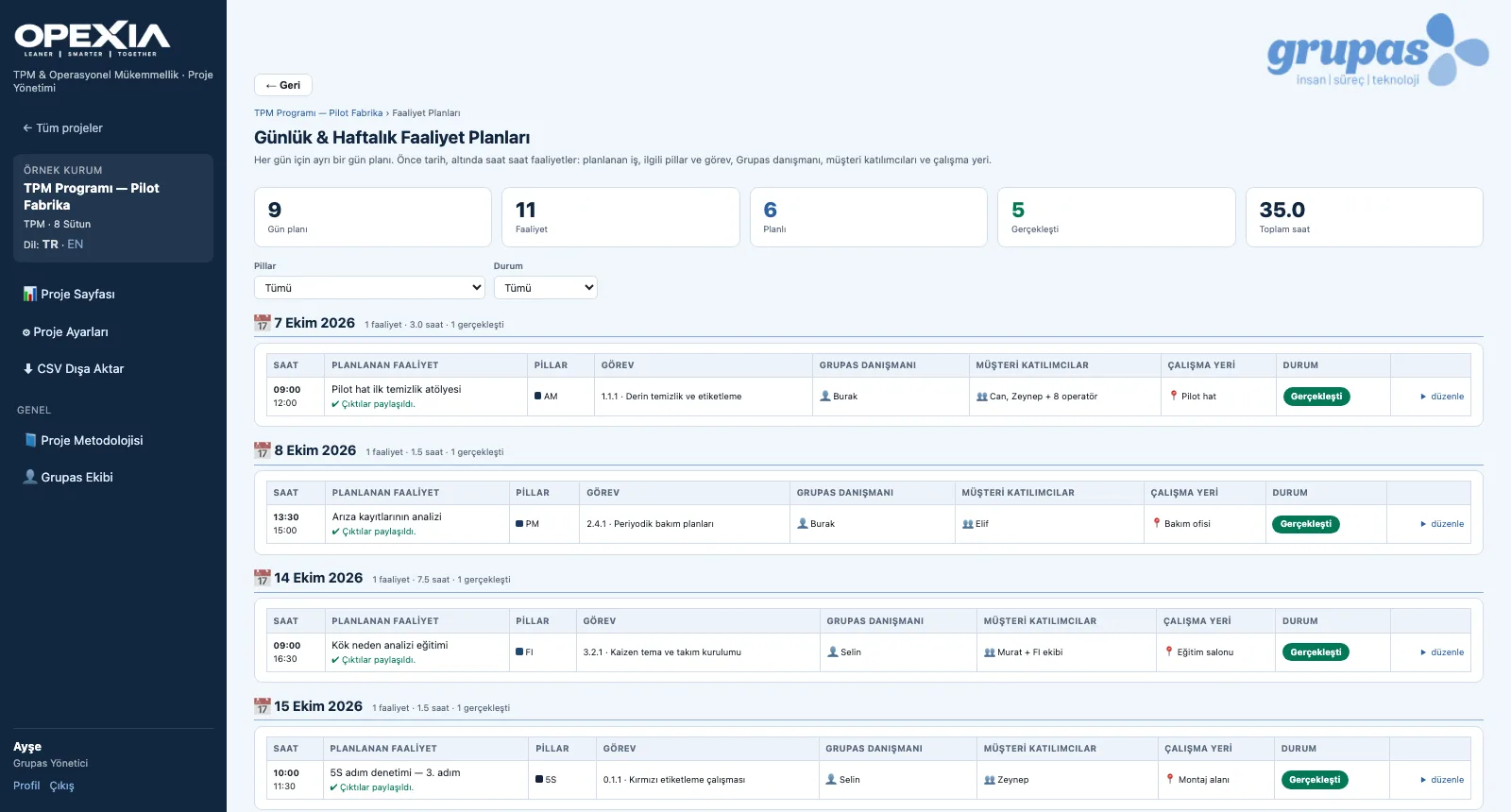
In the project organization, Grupas consultants and the customer team are defined with their roles, committees, leadership and the period they serve on the project; tasks are assigned to them with RACI. Daily and weekly activity plans hold site visits, meetings, training, workshops, audits, remote work and reporting with times, linked pillar and task. Every user sees only the projects they are assigned to.
What you gain with OPEXIA
- In the master plan, tasks are assigned only to people in the organization, taking their project period into account.
- Activity hours are calculated from start and end; daily and total hours are shown.
How it works
Build the team, plan the activities, let everyone follow from their own dashboard.
-
1
Define the organization
Add Grupas consultants and the customer team with roles, committees and project periods; mark the leaders.
-
2
Plan the activities
Hour-by-hour activities for each day: type, pillar, task, consultant, customer participants, location and status.
-
3
Use the personal dashboard
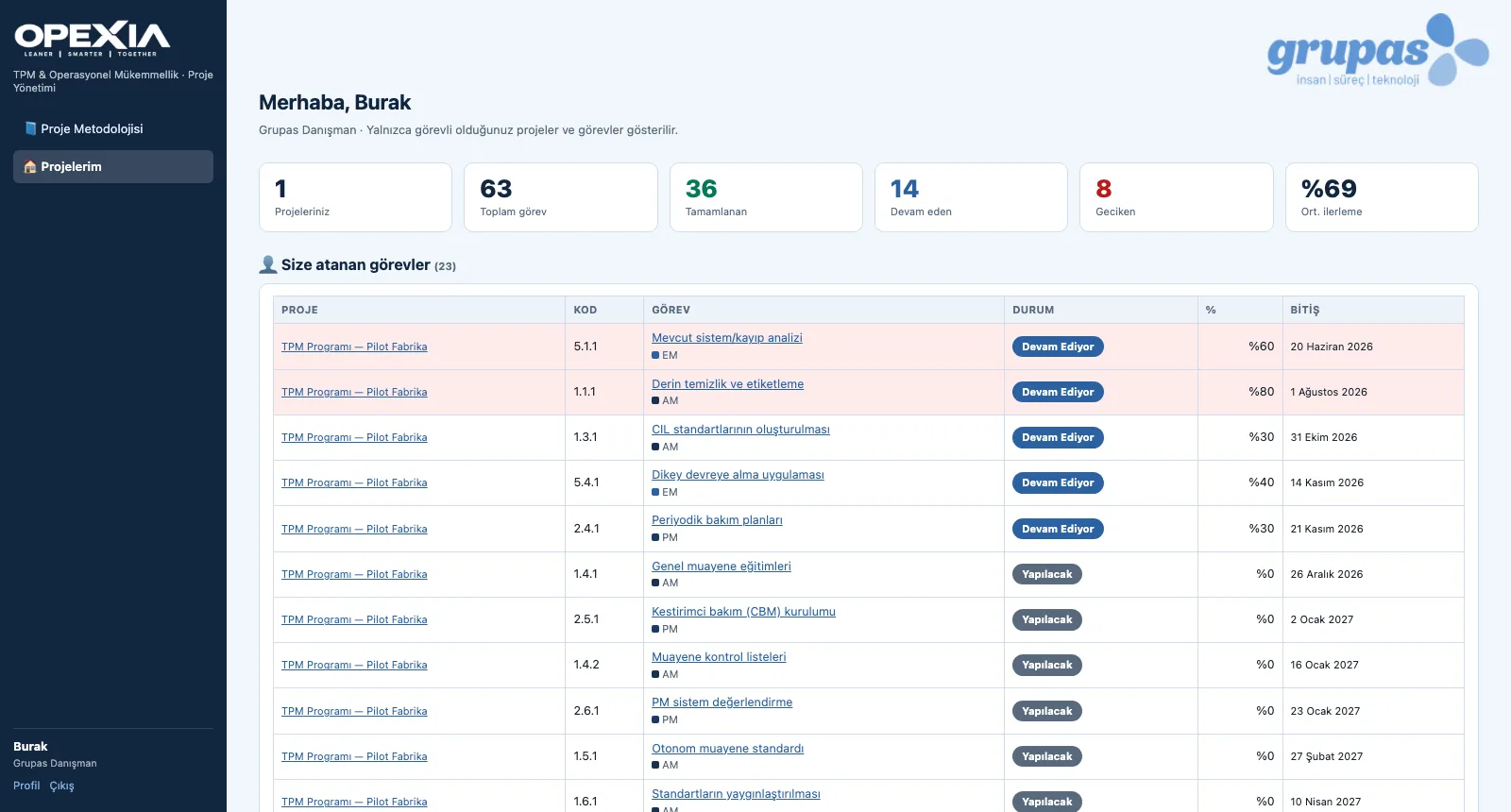
A consultant or customer employee sees only the projects they work on and the tasks assigned to them.
Screens are shown with sample data; the application interface is in Turkish.
Purpose
To bring the consultant and customer sides together in one plan and make clear who does what, when and where.
Features
- Grupas project organization and customer team: role, committee, leader, project start–end period
- Assignment (RACI) and task load per person
- Grupas team master data: title, competencies, education, CV
- Activity plans: 7 activity types, time slot, pillar and task link, participants, location, status
- Roles: Grupas Administrator, Grupas Consultant, Customer Employee; granting login access to customer members
- Personal dashboard: the user's projects and the tasks assigned to them
Benefits
- Clear ownership on both sides
- Site days are planned ahead, then recorded
- Everyone sees only their own project
Who uses it
Project directors, consultants, customer TPM coordinators and pillar leaders.
All features
See your TPM program in OPEXIA
Write to us for a live walkthrough on a sample TPM program.
Request a demo