
grupas.ai Insights
grupas.ai finds delays and inconsistencies, anticipates risks and suggests assignments.
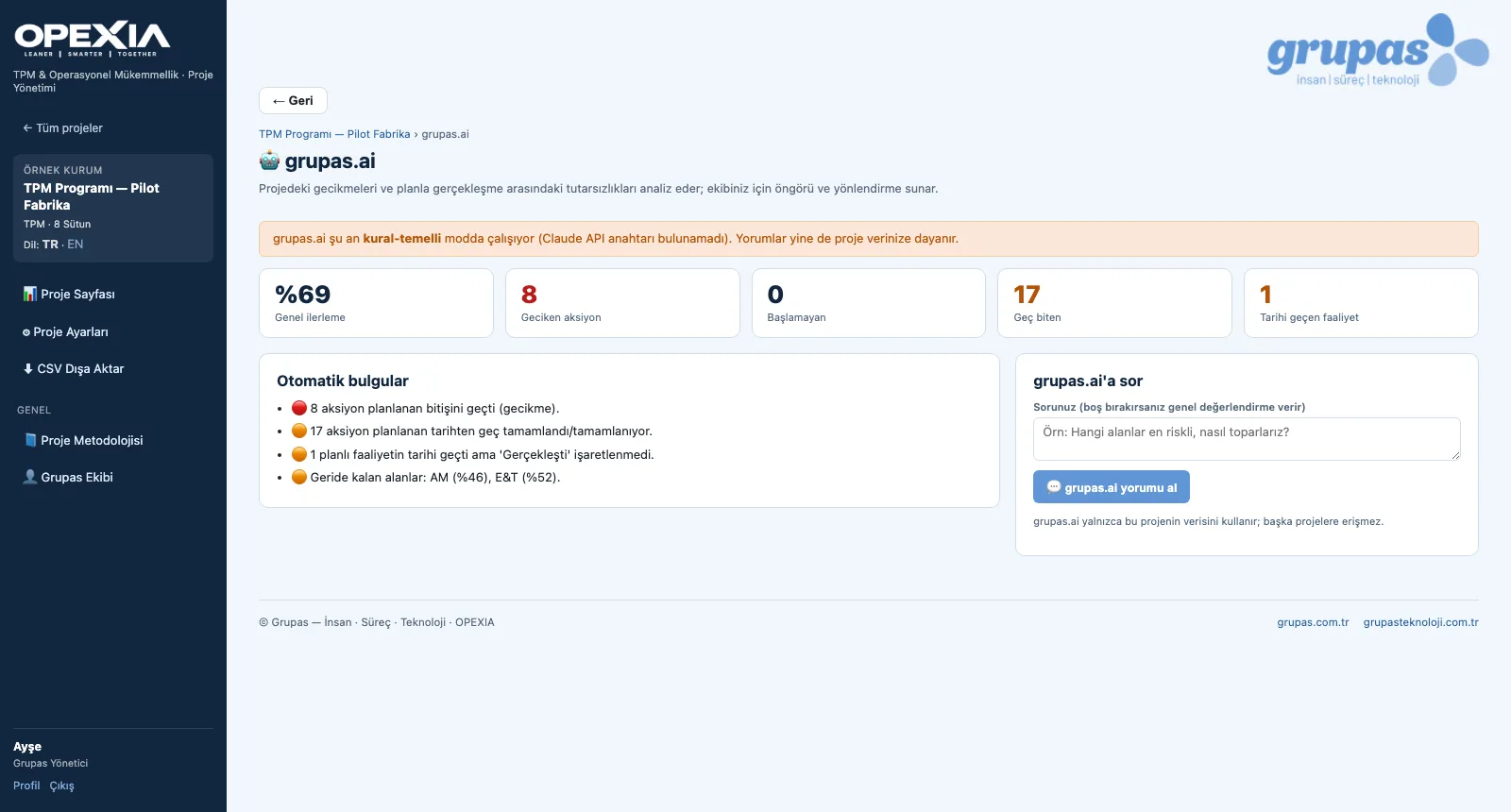
grupas.ai draws automatic findings from the project data: actions past their planned end, actions that should have started but have not, actions completed late, planned activities past their date and pillars lagging behind the overall average. When the AI commentary feature is activated as part of your license and setup, it interprets this picture and answers your questions. Per task, it suggests Grupas team assignments based on competencies and calendar availability.
What you gain with OPEXIA
- grupas.ai uses only the data of the project concerned; it does not access other projects.
- Suggestions are guidance; the team makes the assignment and the decision.
How it works
Read the findings, ask questions, settle the assignments.
-
1
Read the findings
The grupas.ai page lists the indicators and automatic findings — overdue actions, late finishes, lagging pillars.
-
2
Settle the assignment
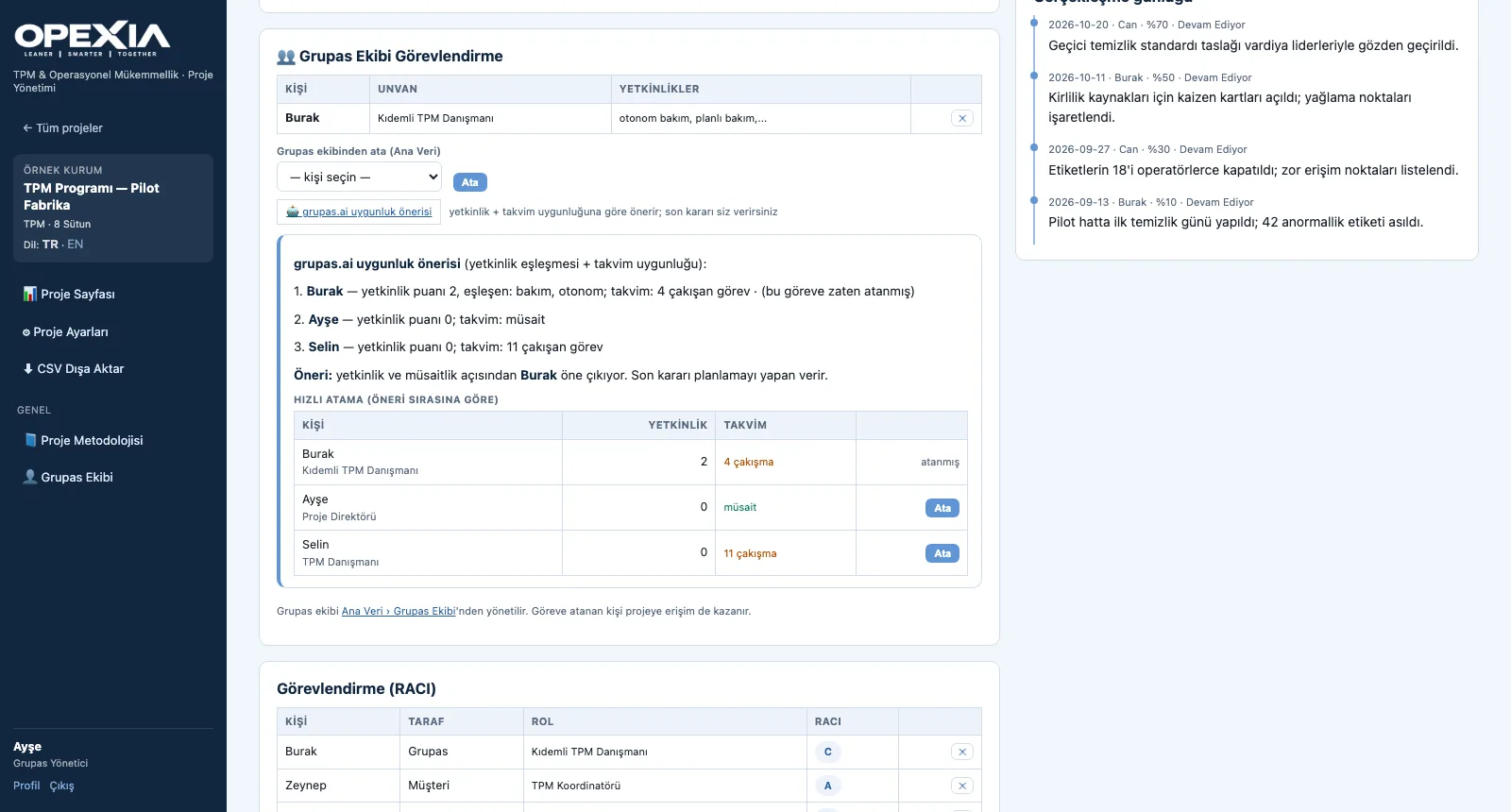
In the action detail, the grupas.ai suitability suggestion ranks the Grupas team by competency and calendar; assign in one click.
Screens are shown with sample data; the application interface is in Turkish.
Purpose
To help program managers and consultants see risks before they show in the numbers and put the right person on the right task.
Features
- Indicators: overall progress, overdue, not started, finished late, activities past their date
- Automatic findings and lagging pillars (rule-based)
- Ask grupas.ai: status summary, risks and recommendations (when activated as part of license and setup)
- Per-task suitability suggestion: competency match + number of overlapping tasks, quick assignment
- Visibility setting: open to consultants and customer, or to the Grupas team only
Benefits
- Risks show up before the meeting
- Assignments are suggested with a rationale
- The final decision always stays with the planner
Who uses it
Program managers, project directors and consultants; the customer team if allowed.
All features
See your TPM program in OPEXIA
Write to us for a live walkthrough on a sample TPM program.
Request a demo