
Master Plan, Gantt and Budget
Every task in one master plan; Gantt and budget from the same data.
The Master Plan lists all of the project's tasks pillar by pillar: code, phase, priority, status, progress, planned dates, Grupas and customer owner. It is updated inline and filtered by pillar / status / phase. The same data feeds the monthly Gantt plan and the man-day / budget table.
What you gain with OPEXIA
- Overdue tasks are flagged automatically in the master plan.
- Earned value is task budget × progress percentage.
How it works
Update the plan, see the schedule, track the effort.
-
1
Update the master plan
Change status, priority, progress, dates and owners inline; filter by pillar, status or phase.
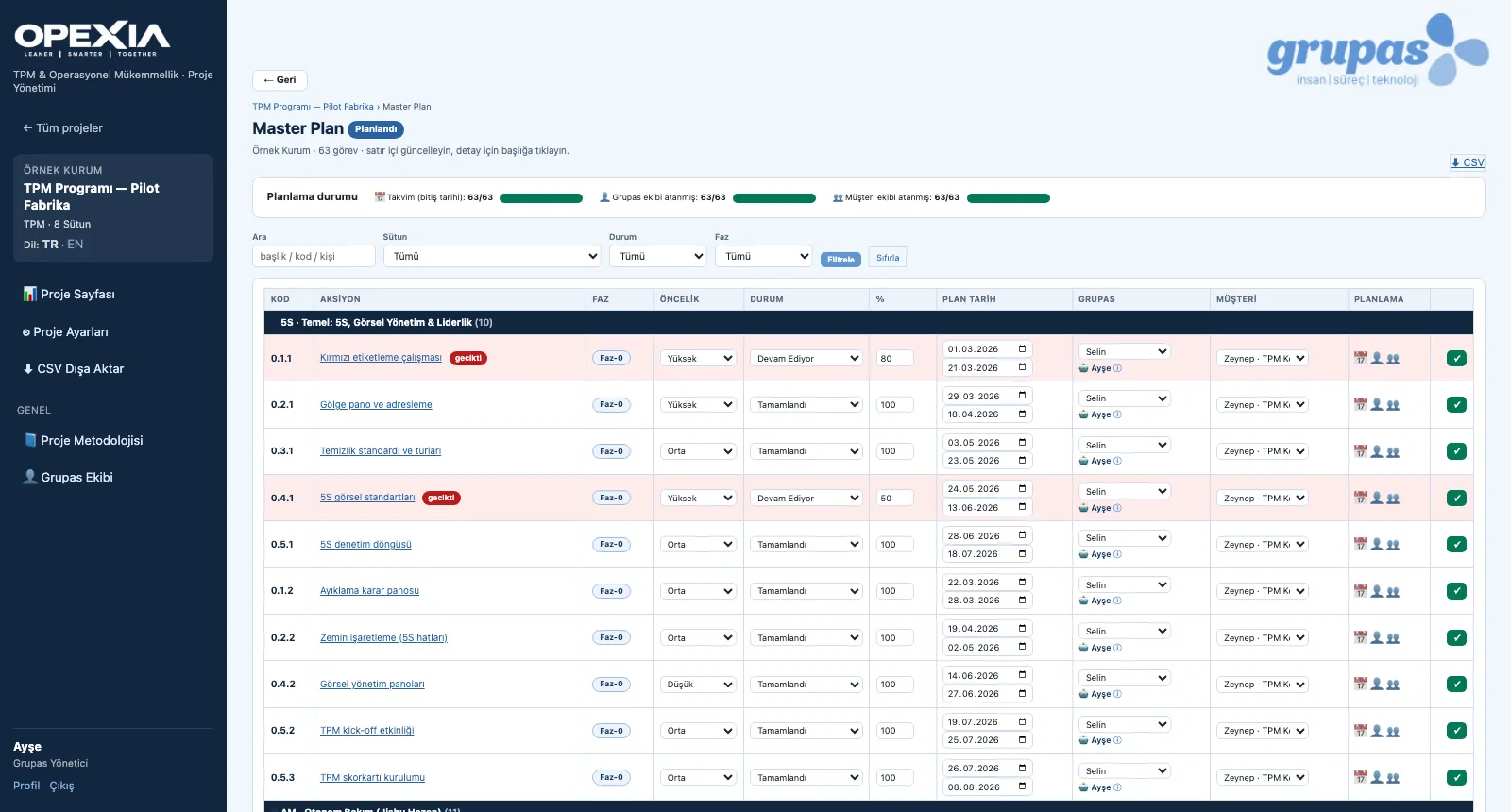
-
2
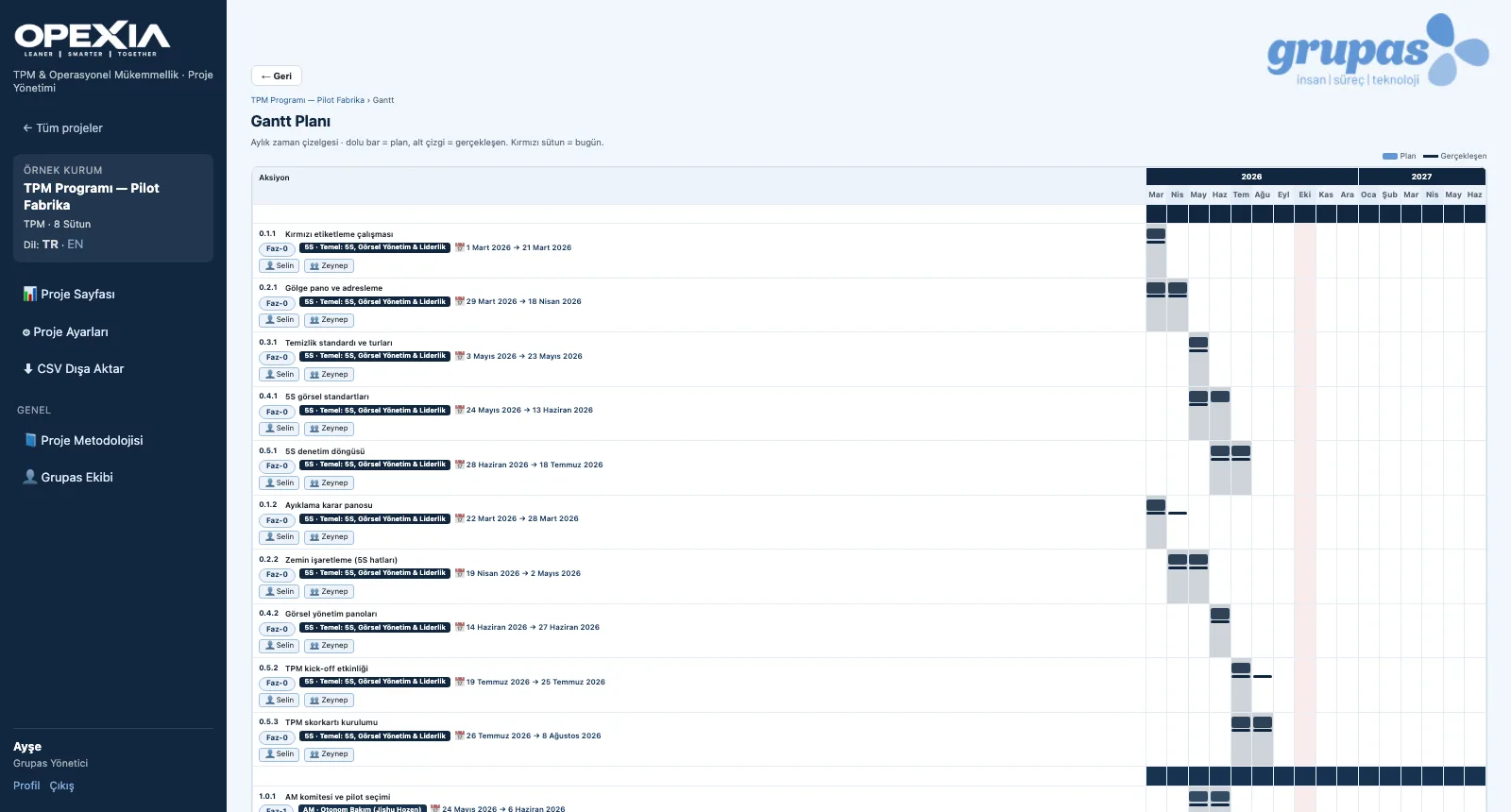
See the schedule in the Gantt
In the monthly timeline the solid bar is the plan, the underline the actual and the red column today.
-
3
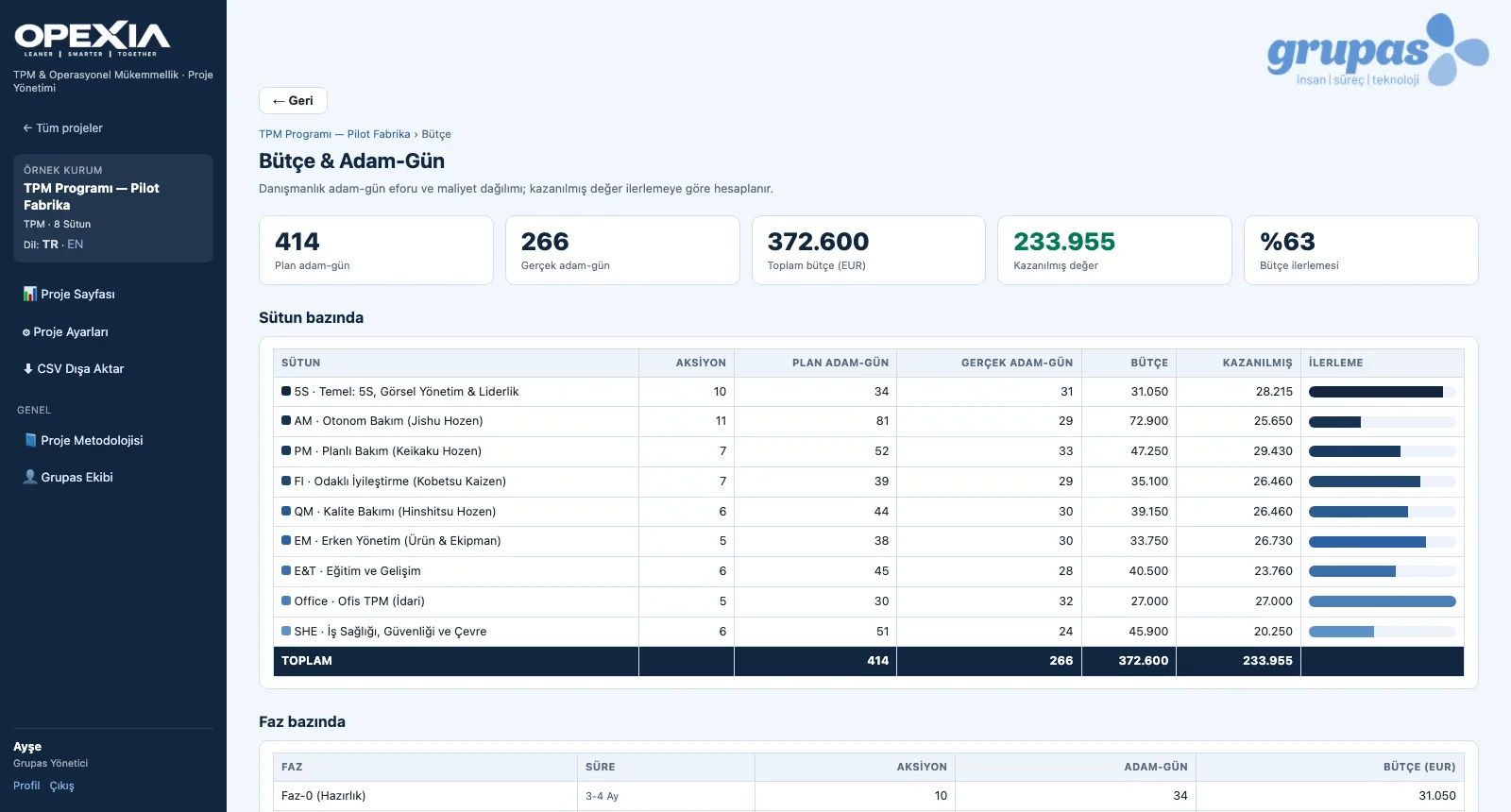
Track budget and man-days
Planned and actual man-days, budget and earned value are totalled per pillar and phase.
Screens are shown with sample data; the application interface is in Turkish.
Purpose
To keep the whole program in one up-to-date plan and manage schedule, owners and effort from one source.
Features
- Master Plan: code, phase, priority, status, %, planned dates, Grupas and customer owner; inline updates
- Planning status: share of tasks with dates, Grupas and customer owners
- Monthly Gantt: planned bar, actual line, today column, total duration per pillar
- Changing the scale recalculates durations and the Gantt draft
- Budget & man-days: planned / actual man-days, budget and earned value by progress — per pillar and phase
- CSV export of the master plan
Benefits
- Everyone sees the same current plan
- Schedule and effort are managed together
- The gap between plan and actual is visible
Who uses it
Program managers, TPM coordinators, consulting project managers.
All features
See your TPM program in OPEXIA
Write to us for a live walkthrough on a sample TPM program.
Request a demo