
Six capabilities, one application
OPEXIA is one package: every feature comes with every license. OPEXIA capabilities follow the natural order of a program: choose the model, structure the pillars, plan, track implementation, organize the team and anticipate risks.
TPM and OpEx Roadmaps
Classic TPM (8 pillars) or the OpEx model — every project opens with a ready roadmap.
Explore StructurePillars and Step Ladders
Every pillar with its own card, vision and JIPM step ladder.
Explore PlanMaster Plan, Gantt and Budget
Every task in one master plan; Gantt and budget from the same data.
Explore TrackImplementation Tracking
Follow implementation step by step with the project dashboard, Kanban and progress log.
Explore OrganizeOrganization and Activity Plans
Grupas and customer teams in one organization; activities day by day, hour by hour.
Explore Anticipategrupas.ai Insights
grupas.ai finds delays and inconsistencies, anticipates risks and suggests assignments.
ExploreTPM and OpEx Roadmaps
In OPEXIA a separate project is opened for each customer and one of two methodology models is chosen: the JIPM-standard Classic TPM roadmap with a 5S foundation and 8 pillars, or Grupas's Operational Excellence (OpEx) model with 6 workstreams. The project is set up with the chosen model's pillars, steps and activities and is planned by pillar or by phase.
- Classic TPM: 5S foundation + AM, PM, FI, QM, EM, E&T, Office TPM and SHE pillars
- OpEx model: infrastructure + autonomous management and planned maintenance, quality-HSE-environment, focused improvement, people and organization, workplace excellence
- Planning method: by pillar or by phase (JIPM 4 stages · 12 steps / OpEx Phase-0…Phase-4)
- Company card and scale (small / medium / large): activity durations follow the scale
- Project Methodology guide: both models, pillar steps and phase structures (TR / EN)
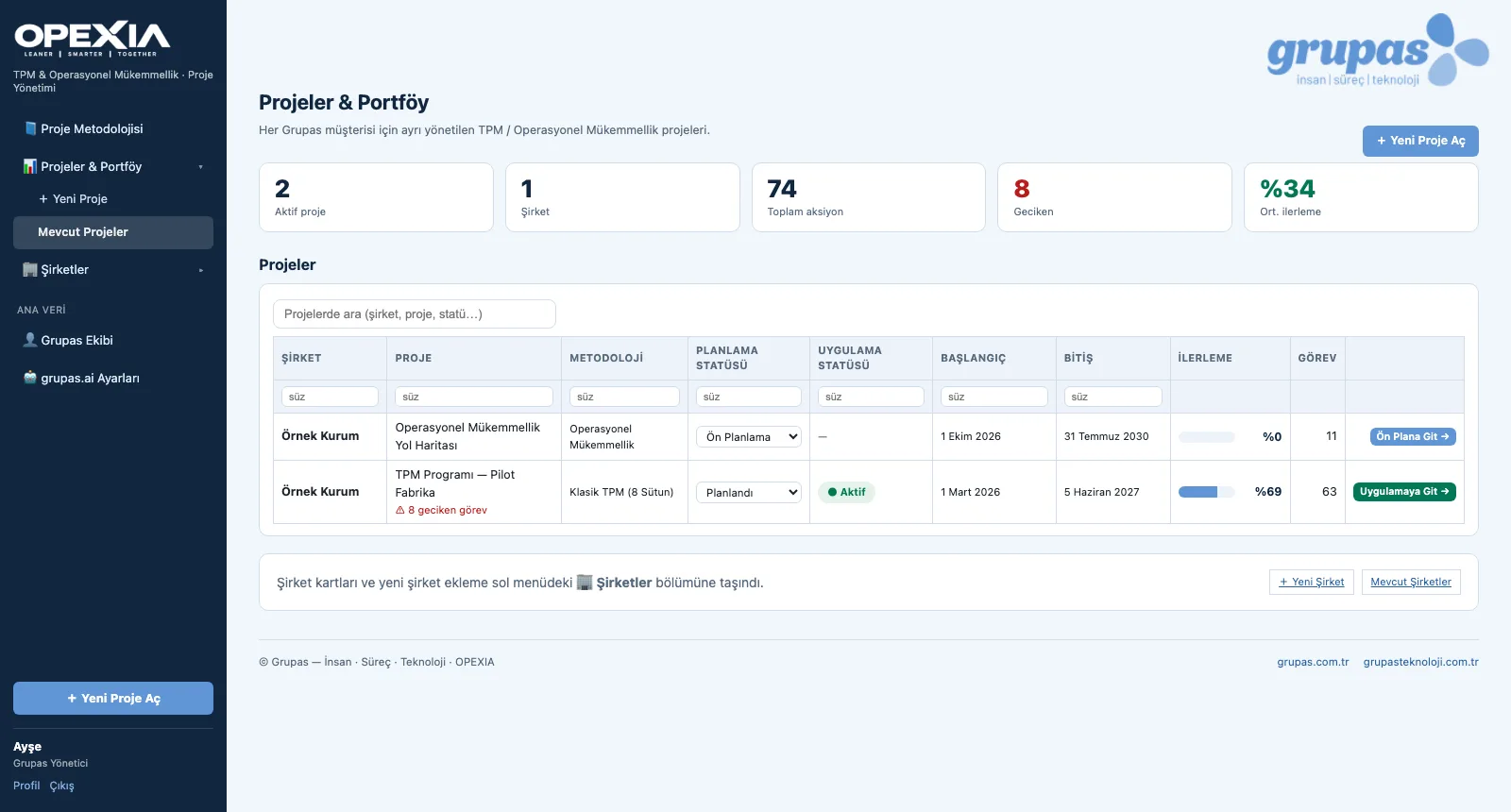
Pillars and Step Ladders
The pillar screen shows each area's card, vision and progress steps. Each step has an objective, sub-steps, the potential benefits once completed and linked activities; activity durations are kept separately for small / medium / large scale. Step status, progress and dates are updated right on this screen.
- Pillar cards: abbreviation, name, description, progress, number of steps and actions
- Editable name, description and vision / goal on the pillar card
- Step detail: objective, sub-steps, potential benefits, activities (S / M / L durations)
- Step status, percentage progress and dates updated in place
- Adding new pillars / workstreams and steps to a project
- Project content is shown in Turkish or English
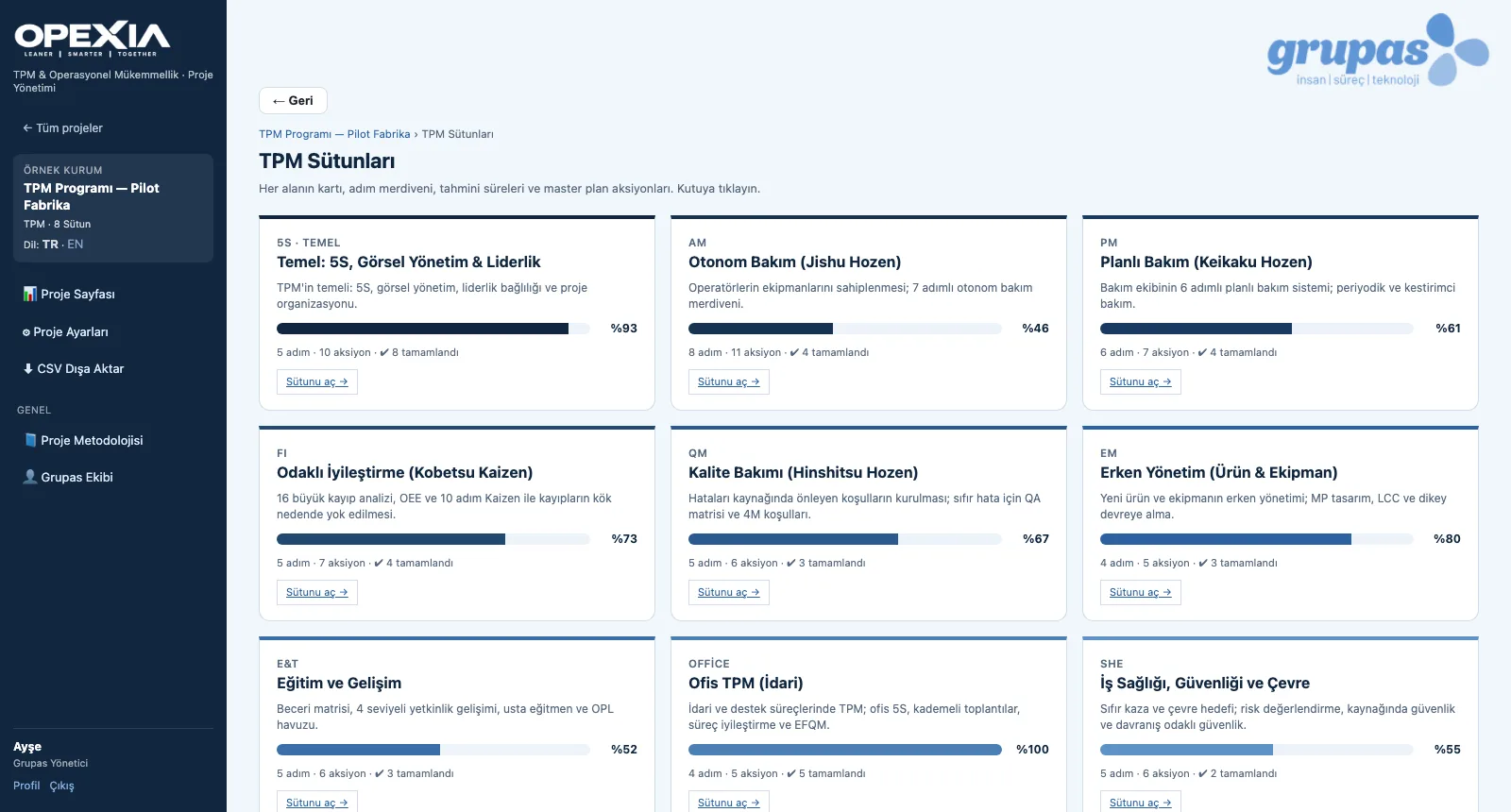
Master Plan, Gantt and Budget
The Master Plan lists all of the project's tasks pillar by pillar: code, phase, priority, status, progress, planned dates, Grupas and customer owner. It is updated inline and filtered by pillar / status / phase. The same data feeds the monthly Gantt plan and the man-day / budget table.
- Master Plan: code, phase, priority, status, %, planned dates, Grupas and customer owner; inline updates
- Planning status: share of tasks with dates, Grupas and customer owners
- Monthly Gantt: planned bar, actual line, today column, total duration per pillar
- Changing the scale recalculates durations and the Gantt draft
- Budget & man-days: planned / actual man-days, budget and earned value by progress — per pillar and phase
- CSV export of the master plan
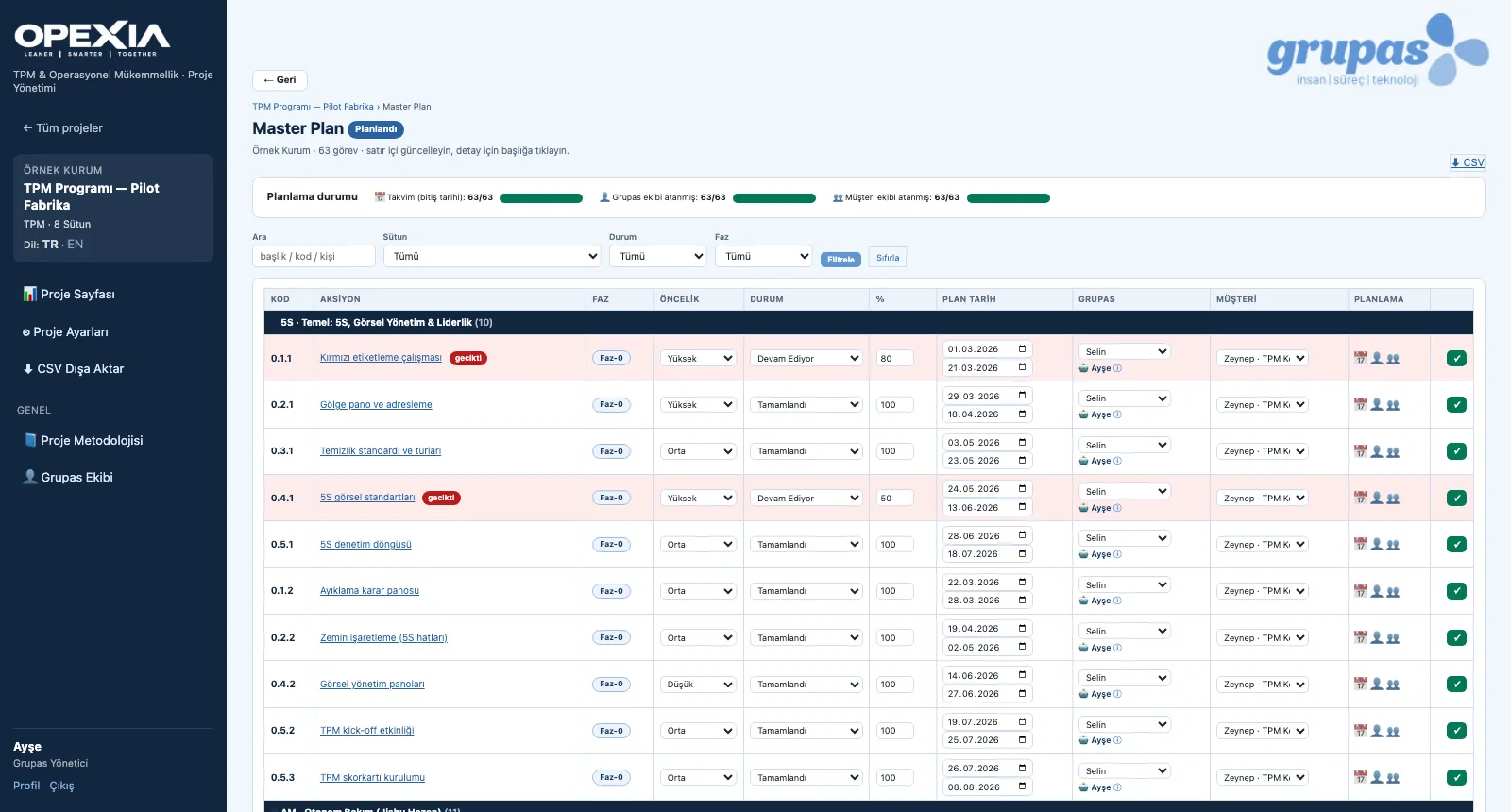
Implementation Tracking
The project page collects organization, master plan, Gantt, activity and budget summaries in expandable sections. The project dashboard shows pillar and phase progress, status distribution, overdue actions and upcoming activities; on the Kanban board tasks are dragged between status columns. Every action keeps planned and actual dates, man-days and a progress log.
- Project page: organization, master plan, Gantt, activity, budget and grupas.ai summaries
- Dashboard: overall progress, pillar and phase progress, status distribution, overdue actions, upcoming activities
- Kanban: To do, In progress, Done, On hold, Cancelled — drag and drop, filter by pillar
- Action detail: description, responsible role, KPI, planned ↔ actual dates and man-days, budget
- Quick progress entry and progress log (who, when, what percentage, note)
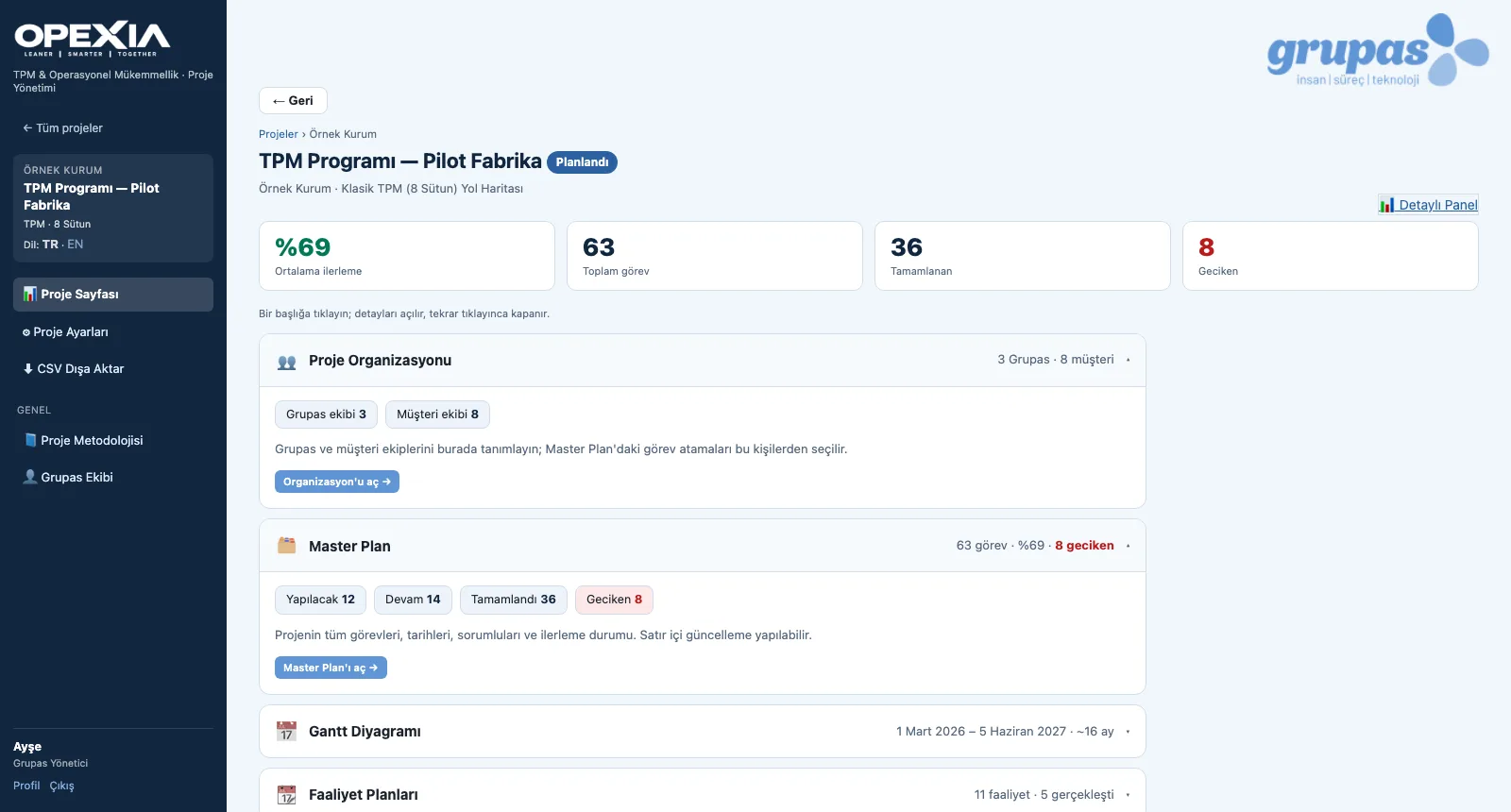
Organization and Activity Plans
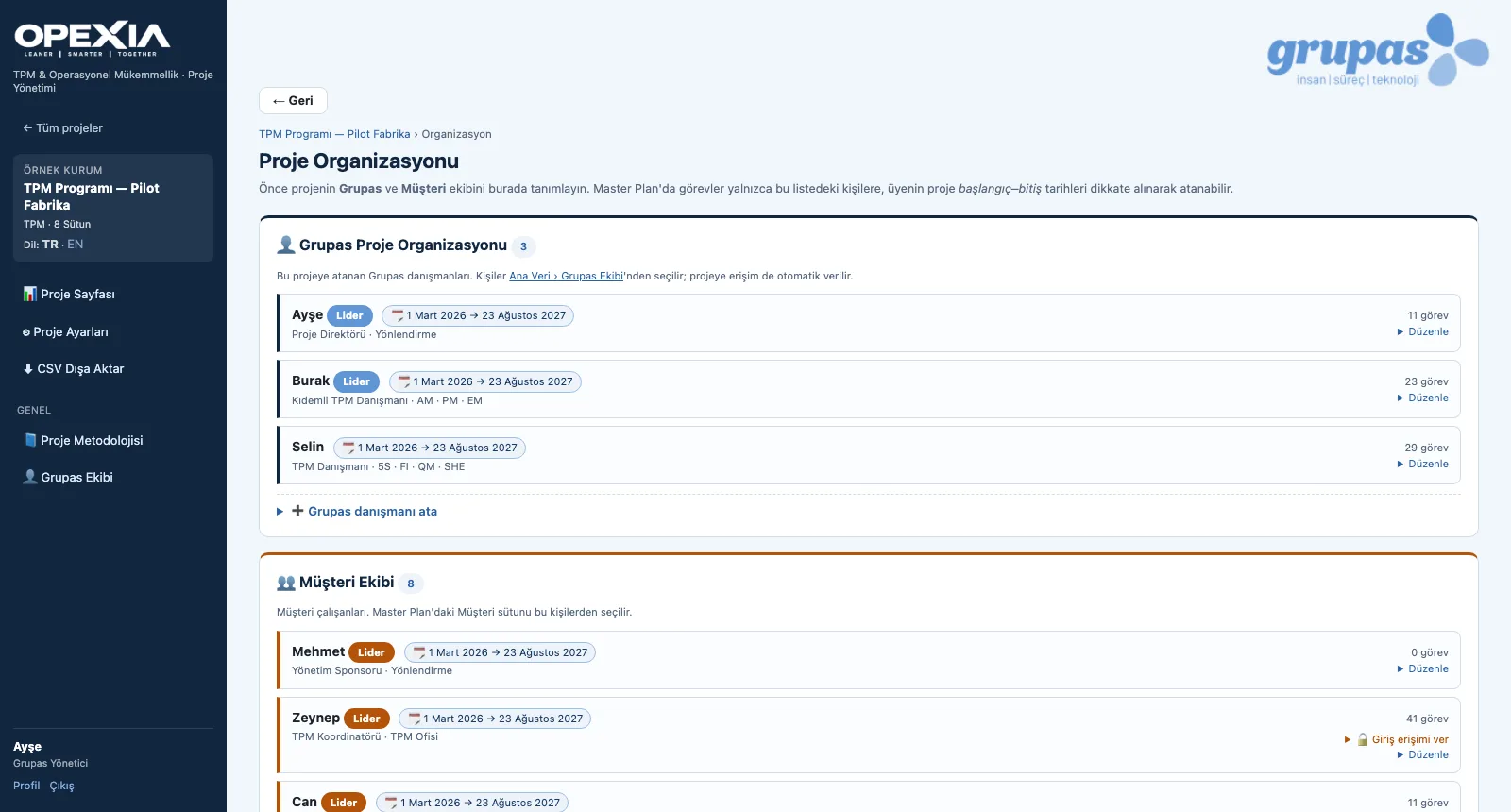
In the project organization, Grupas consultants and the customer team are defined with their roles, committees, leadership and the period they serve on the project; tasks are assigned to them with RACI. Daily and weekly activity plans hold site visits, meetings, training, workshops, audits, remote work and reporting with times, linked pillar and task. Every user sees only the projects they are assigned to.
- Grupas project organization and customer team: role, committee, leader, project start–end period
- Assignment (RACI) and task load per person
- Grupas team master data: title, competencies, education, CV
- Activity plans: 7 activity types, time slot, pillar and task link, participants, location, status
- Roles: Grupas Administrator, Grupas Consultant, Customer Employee; granting login access to customer members
- Personal dashboard: the user's projects and the tasks assigned to them
grupas.ai Insights
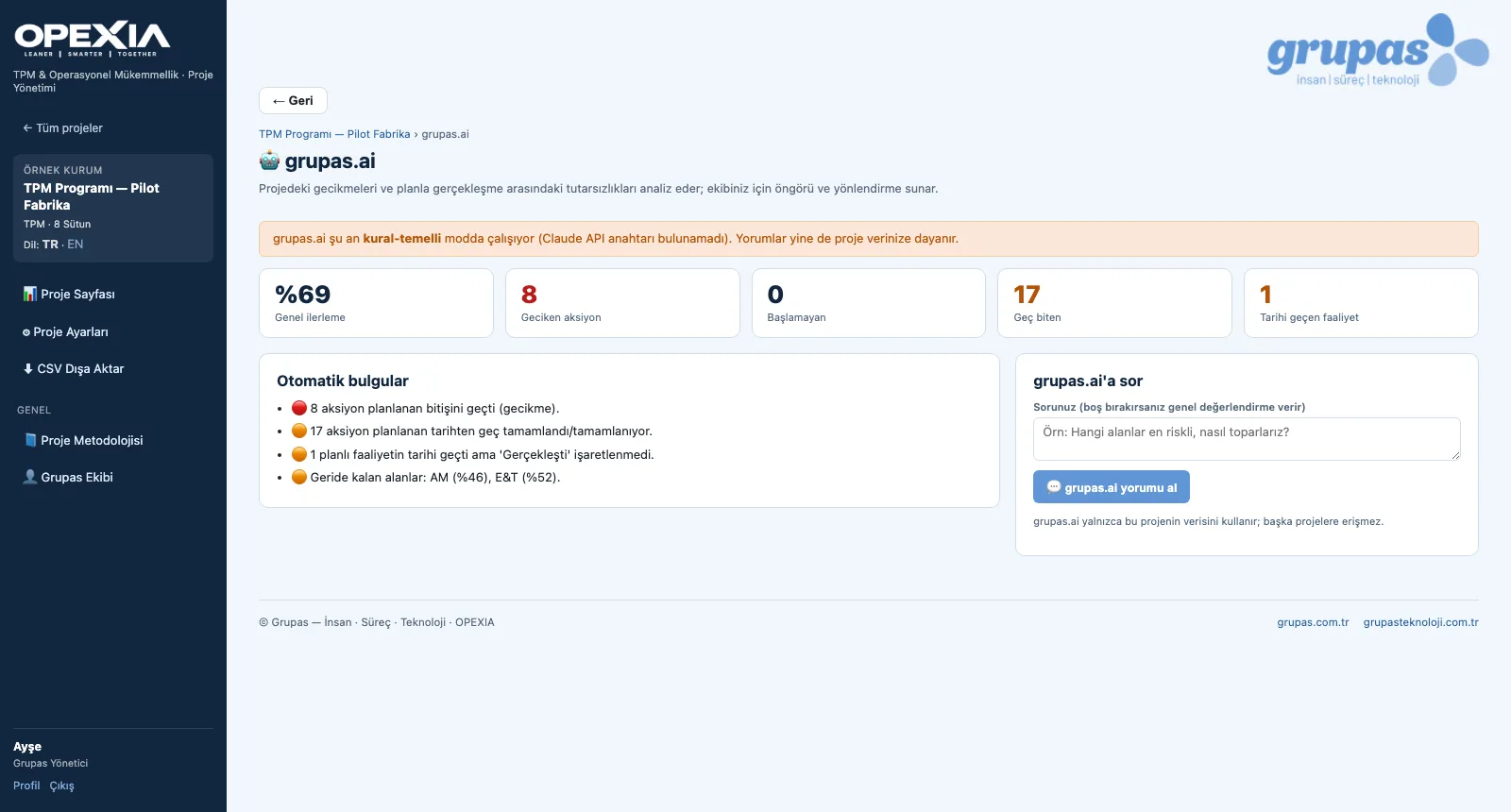
grupas.ai draws automatic findings from the project data: actions past their planned end, actions that should have started but have not, actions completed late, planned activities past their date and pillars lagging behind the overall average. When the AI commentary feature is activated as part of your license and setup, it interprets this picture and answers your questions. Per task, it suggests Grupas team assignments based on competencies and calendar availability.
- Indicators: overall progress, overdue, not started, finished late, activities past their date
- Automatic findings and lagging pillars (rule-based)
- Ask grupas.ai: status summary, risks and recommendations (when activated as part of license and setup)
- Per-task suitability suggestion: competency match + number of overlapping tasks, quick assignment
- Visibility setting: open to consultants and customer, or to the Grupas team only
See your TPM program in OPEXIA
Write to us for a live walkthrough on a sample TPM program.