
Implementation Tracking
Follow implementation step by step with the project dashboard, Kanban and progress log.
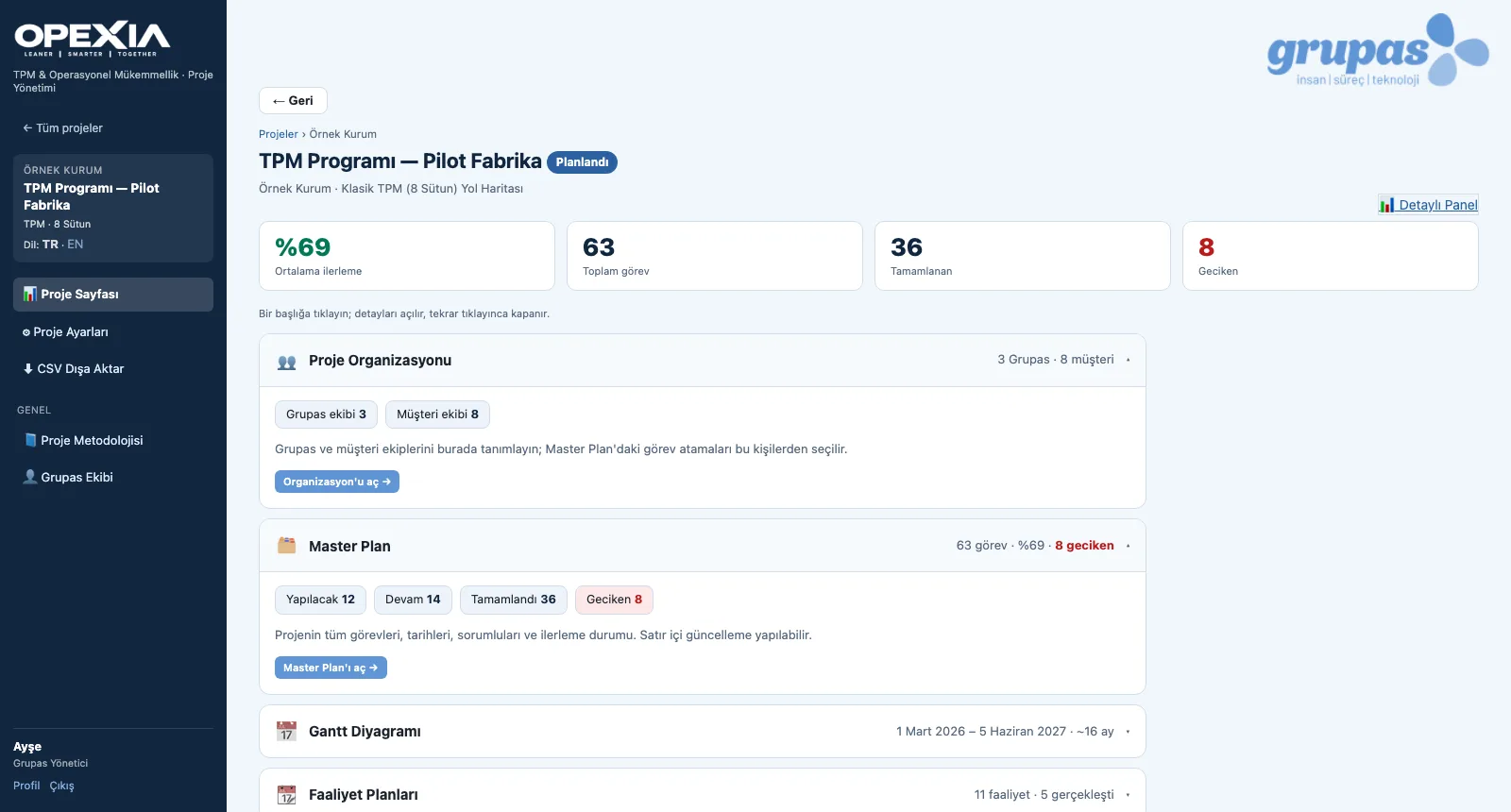
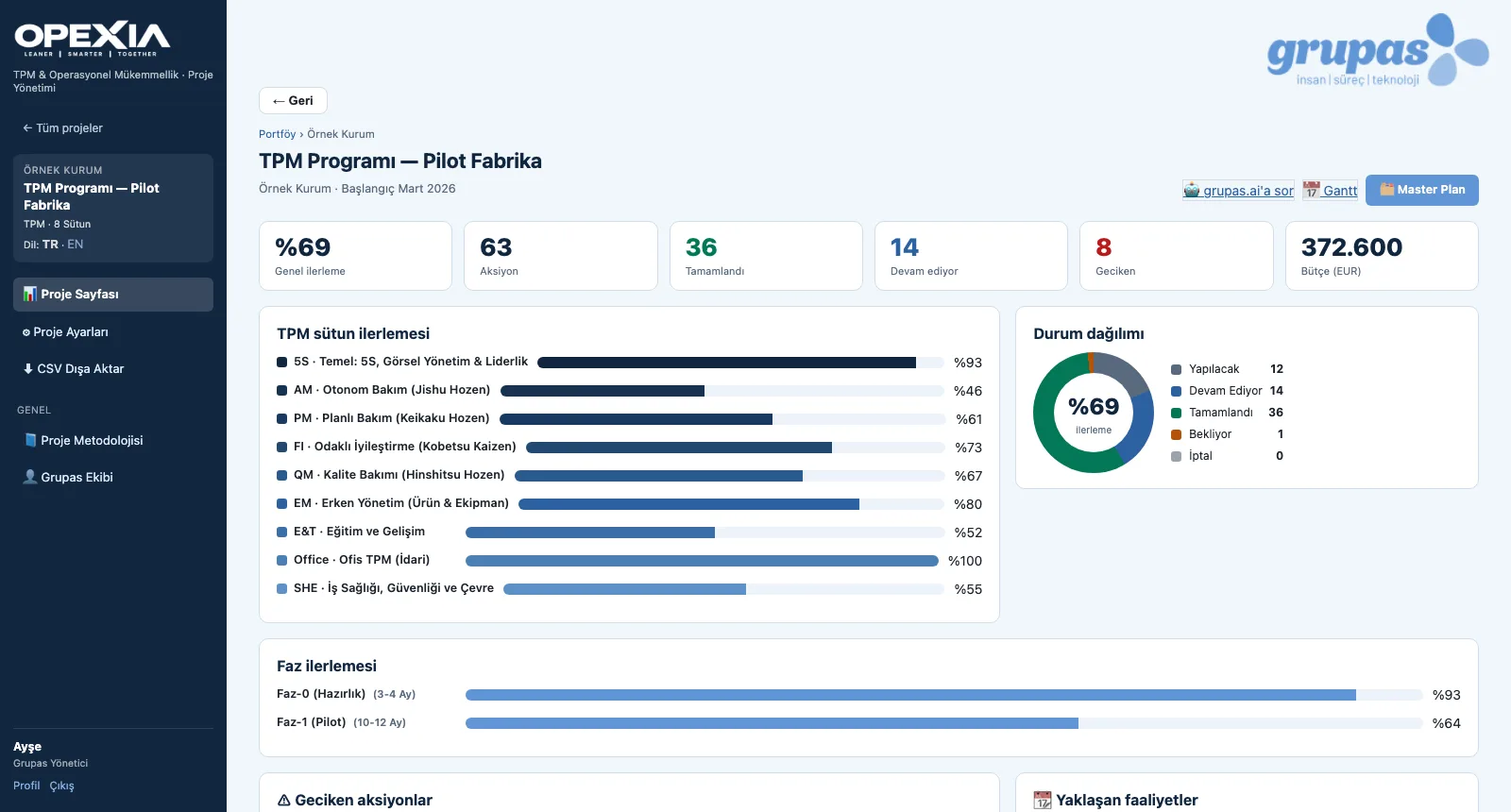
The project page collects organization, master plan, Gantt, activity and budget summaries in expandable sections. The project dashboard shows pillar and phase progress, status distribution, overdue actions and upcoming activities; on the Kanban board tasks are dragged between status columns. Every action keeps planned and actual dates, man-days and a progress log.
What you gain with OPEXIA
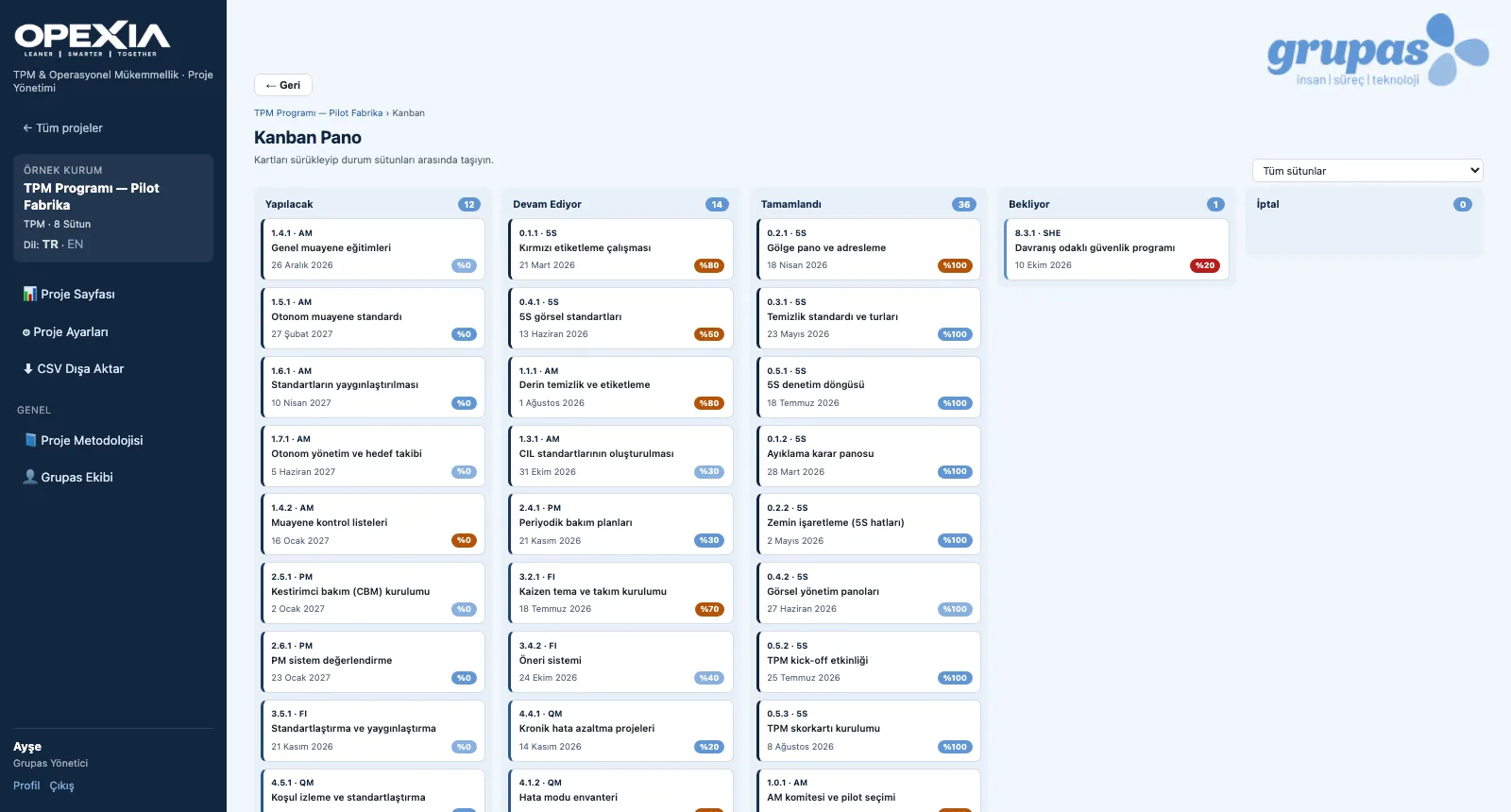
- A task moved to Done on the Kanban becomes 100%.
- Indicators and dashboards are recalculated with every update.
How it works
Open the summary, read the dashboard, move tasks forward.
-
1
Open the project page
Average progress, total, completed and overdue tasks; organization, master plan, Gantt and activity summaries on one page.
-
2
Read the dashboard
Pillar progress, status distribution, phase progress and budget; below them overdue actions and upcoming activities.
-
3
Move tasks on the Kanban
Drag cards between status columns; filter the board by pillar.
-
4
Record the actual progress
In the action detail enter actual dates, man-days and a note; each entry is added to the progress log.
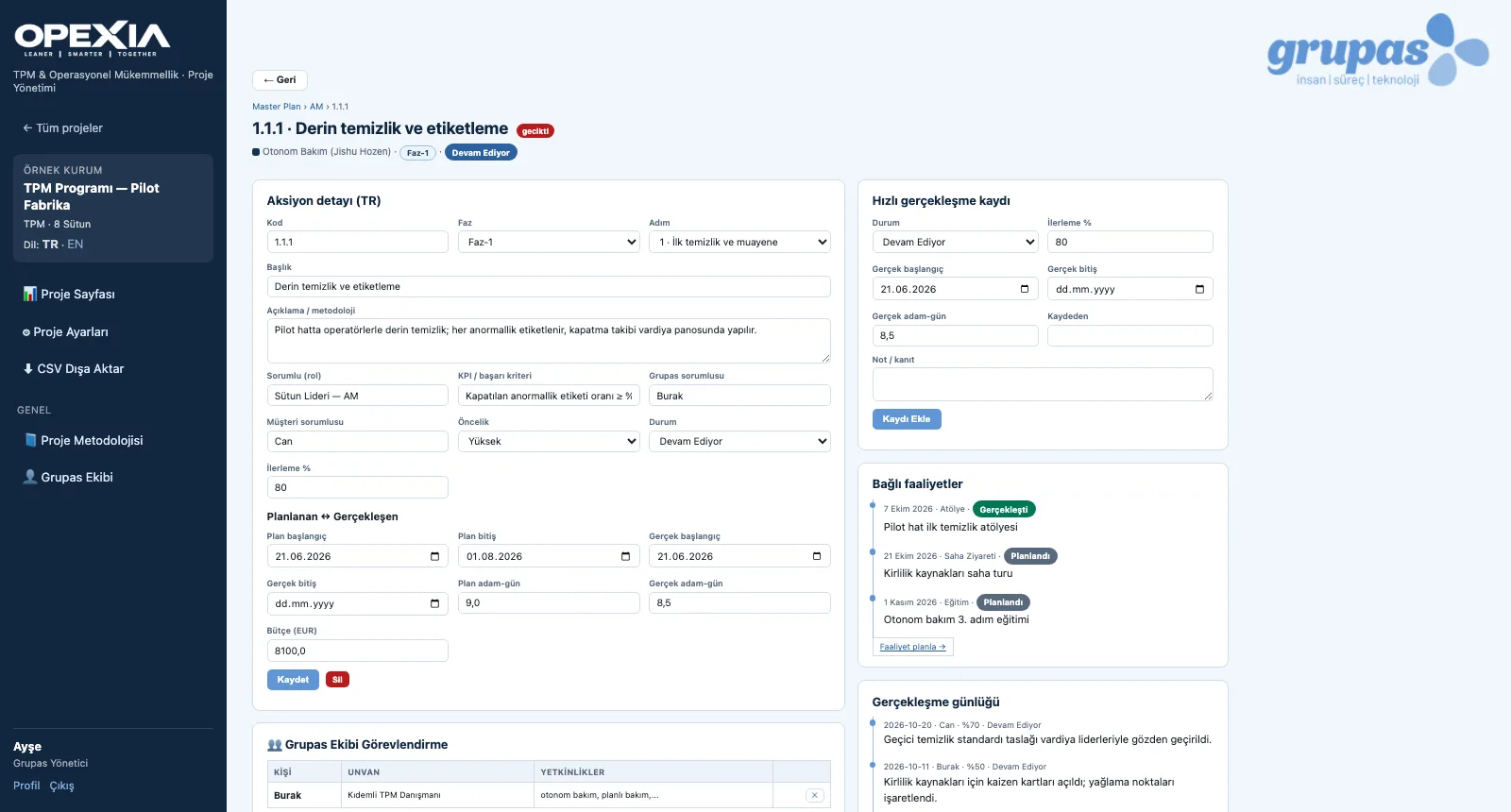
Screens are shown with sample data; the application interface is in Turkish.
Purpose
To keep the plan off the shelf: see every day where the program really is and catch deviations early.
Features
- Project page: organization, master plan, Gantt, activity, budget and grupas.ai summaries
- Dashboard: overall progress, pillar and phase progress, status distribution, overdue actions, upcoming activities
- Kanban: To do, In progress, Done, On hold, Cancelled — drag and drop, filter by pillar
- Action detail: description, responsible role, KPI, planned ↔ actual dates and man-days, budget
- Quick progress entry and progress log (who, when, what percentage, note)
Benefits
- Delays show up without waiting for a meeting
- Progress is recorded along with its evidence
- A ready picture for the steering committee
Who uses it
Steering committee, program and plant managers, pillar leaders, consultants.
All features
See your TPM program in OPEXIA
Write to us for a live walkthrough on a sample TPM program.
Request a demo