
Pillars and Step Ladders
Every pillar with its own card, vision and JIPM step ladder.
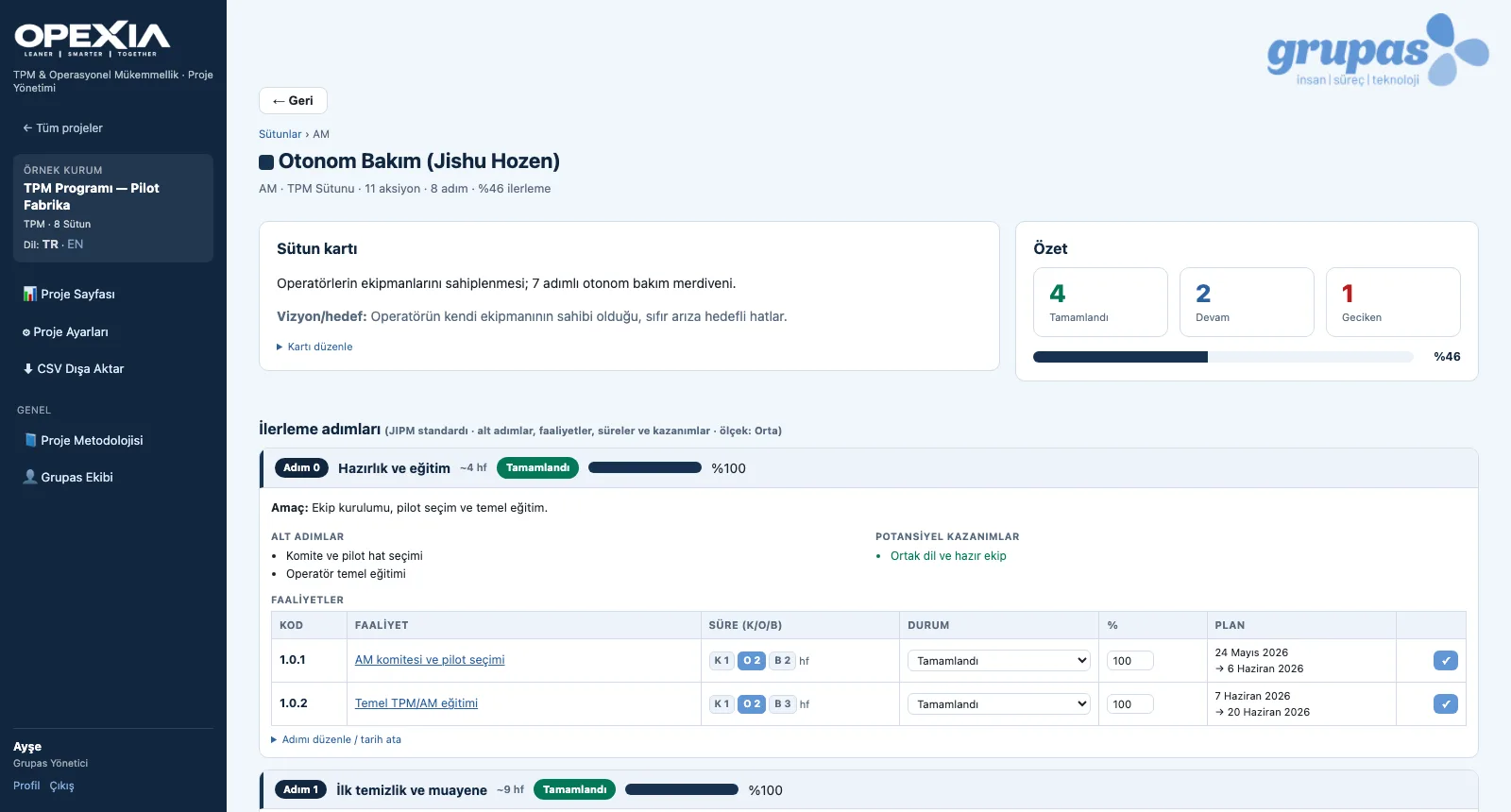
The pillar screen shows each area's card, vision and progress steps. Each step has an objective, sub-steps, the potential benefits once completed and linked activities; activity durations are kept separately for small / medium / large scale. Step status, progress and dates are updated right on this screen.
What you gain with OPEXIA
- Step progress reads together with the progress of the step's activities.
- The project language switches TR ↔ EN in one click; pillar, step and activity names follow it.
How it works
Open the pillar, review the step, record progress.
-
1
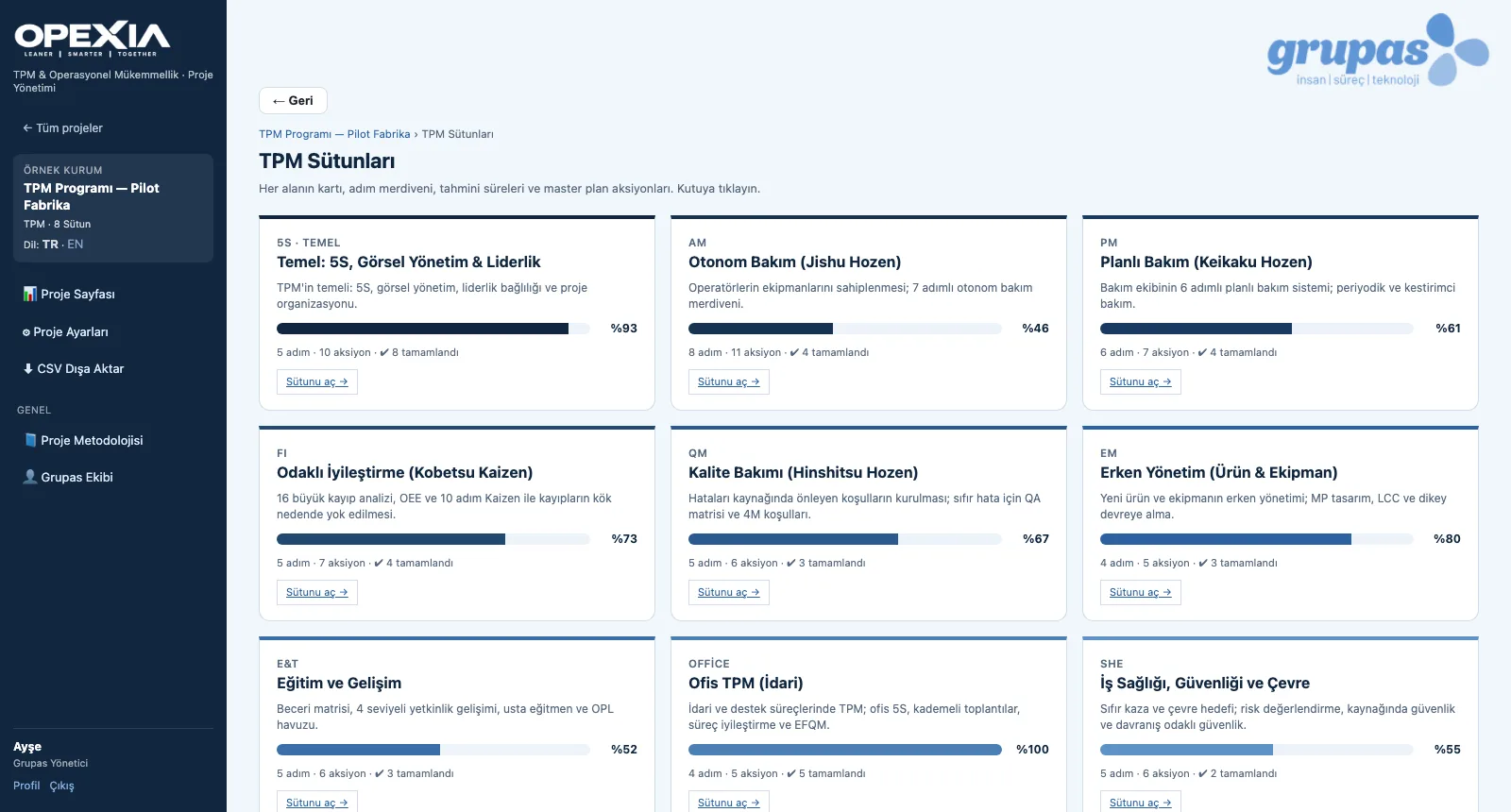
Pillars at a glance
The TPM Pillars screen shows each area's progress, steps, actions and completed actions card by card.
-
2
Follow the step ladder
Write the vision on the pillar card; follow each step's objective, sub-steps, benefits and activities with their status.
-
3
Work with English content
With the project language set to EN, pillar, step and activity content is shown in English.
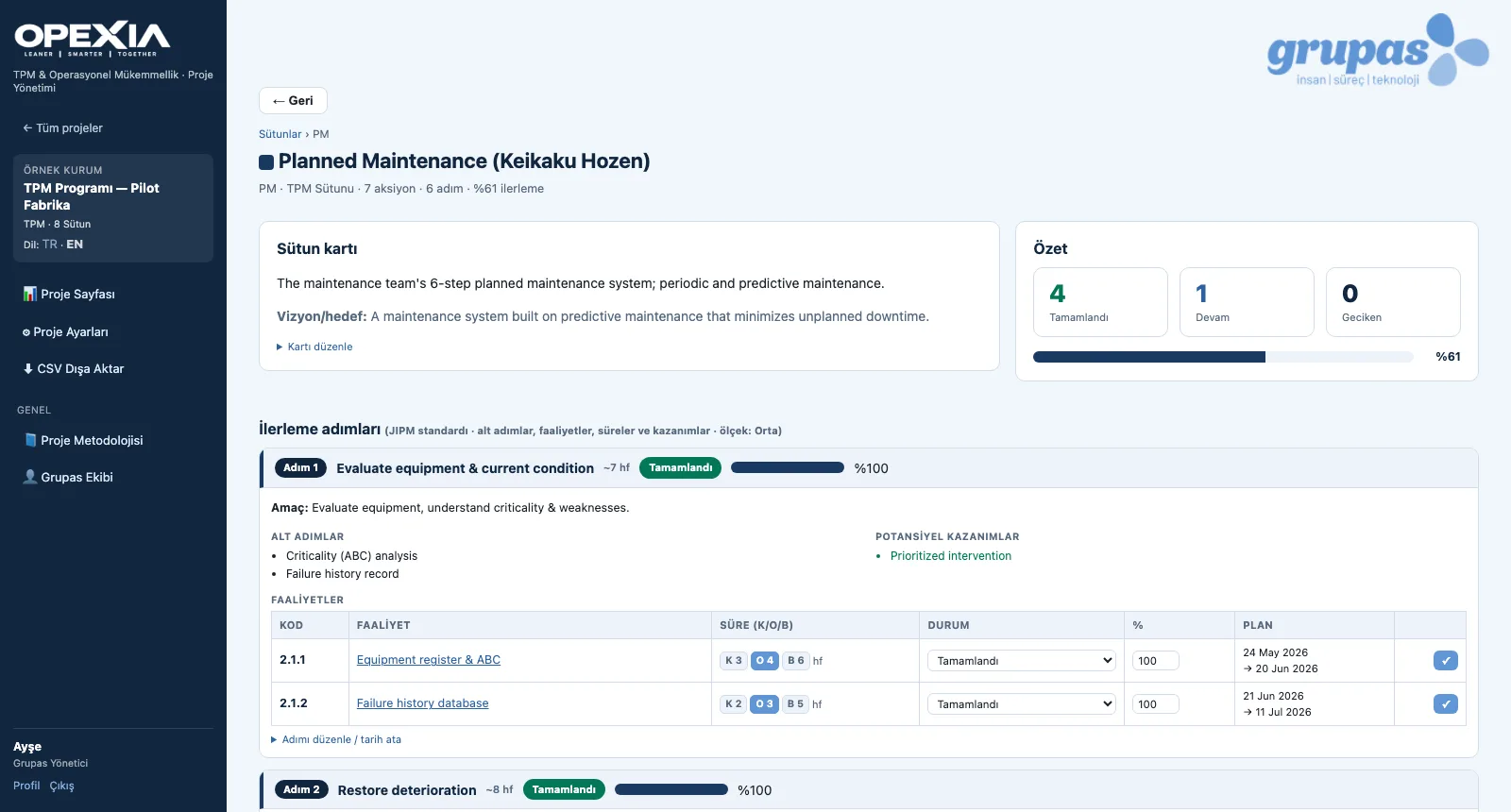
Screens are shown with sample data; the application interface is in Turkish.
Purpose
To let pillar teams see clearly where they are, what the next step involves and what completing it will bring.
Features
- Pillar cards: abbreviation, name, description, progress, number of steps and actions
- Editable name, description and vision / goal on the pillar card
- Step detail: objective, sub-steps, potential benefits, activities (S / M / L durations)
- Step status, percentage progress and dates updated in place
- Adding new pillars / workstreams and steps to a project
- Project content is shown in Turkish or English
Benefits
- Pillar teams climb a shared ladder
- The expected benefit of each step is visible up front
- Bilingual content for international teams
Who uses it
Pillar leaders, maintenance, quality, SHE and production teams, TPM consultants.
All features
See your TPM program in OPEXIA
Write to us for a live walkthrough on a sample TPM program.
Request a demo